 Soundscape
 Beacon Styles
Soundscape lets you choose between several different beacon sounds in Settings → Audio → Audio beacon styles. They all do the same job — pulling you toward a destination using 3D spatial audio — but they sound very different from each other.
Each beacon is built from a small set of looping samples. Soundscape automatically picks the right sample for the angle between where you’re facing and the direction of the beacon, so the sound changes as you turn your head or move. The “on-axis” samples play when you’re pointing at the beacon; the “behind” samples play when it’s behind you.
How to use this page
For each beacon below you’ll find:
- A looping audio sample that plays each of the angle variants in turn, starting from the on-axis (in-front) sound and ending with the behind-you sound, so you can hear how the beacon changes as you rotate.
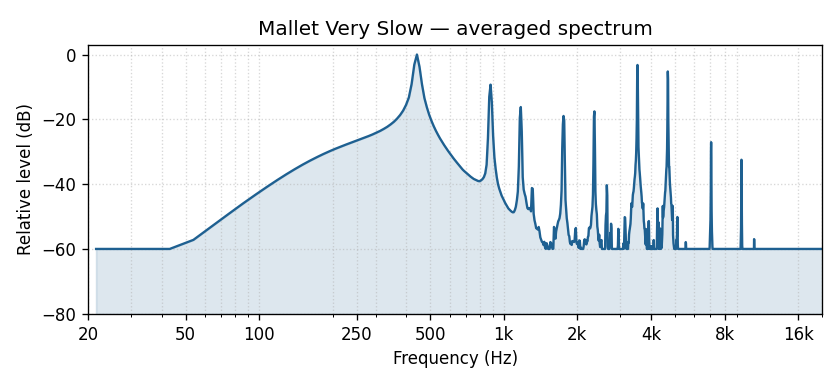
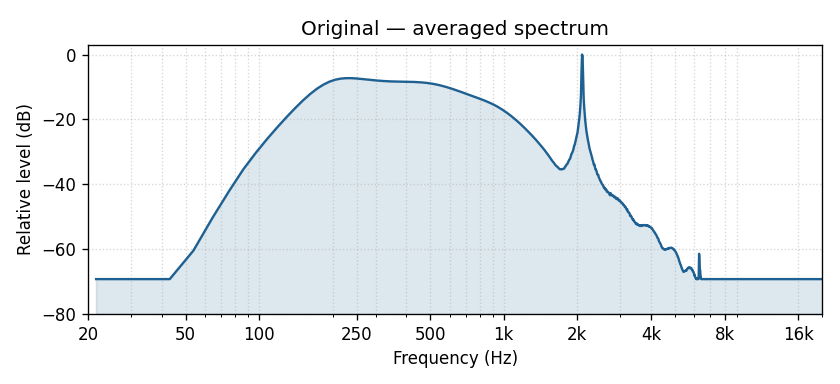
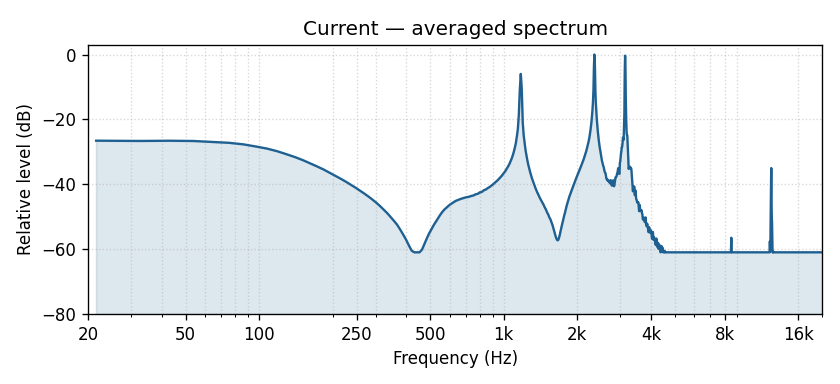
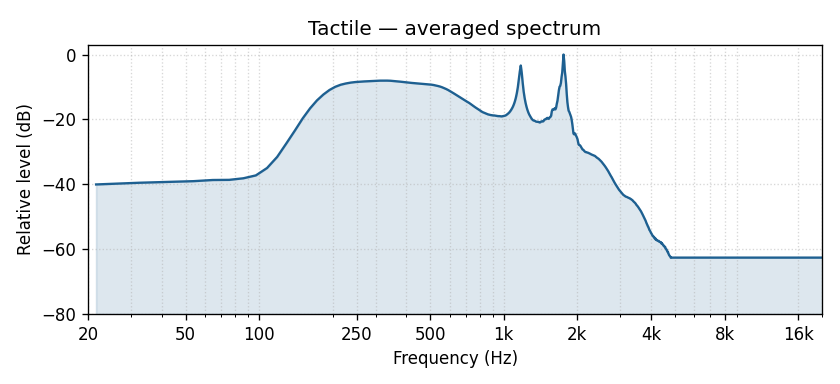
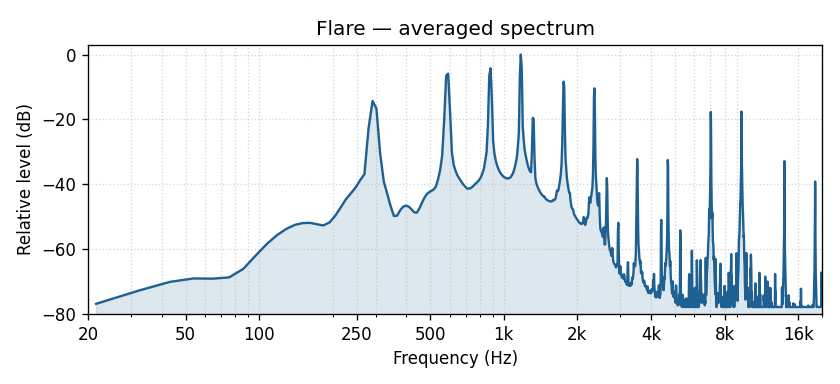
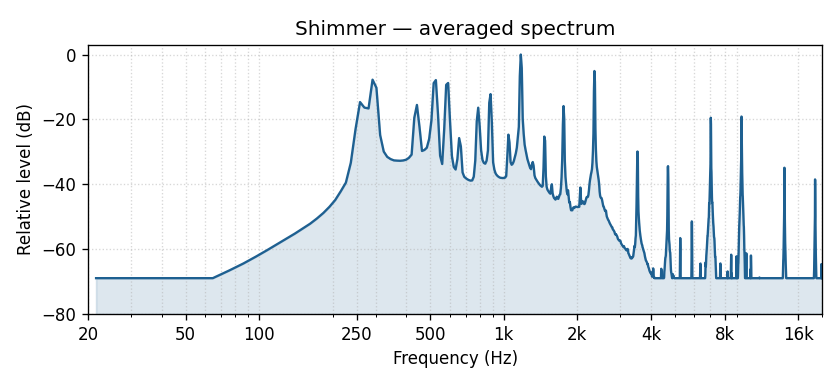
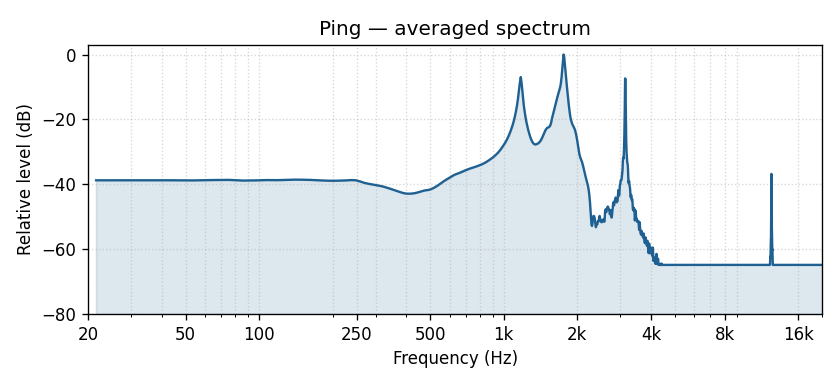
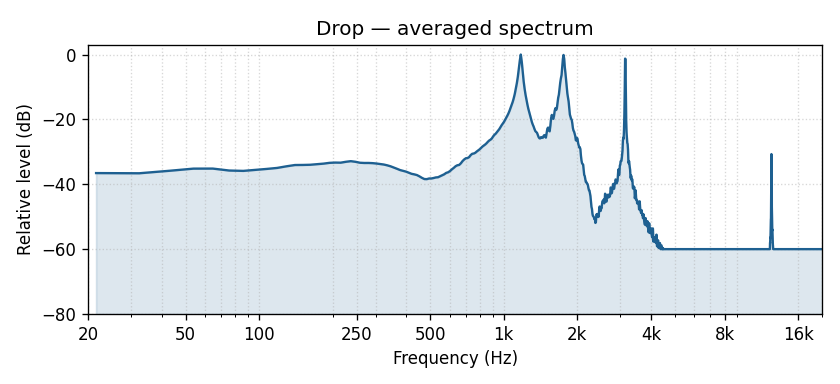
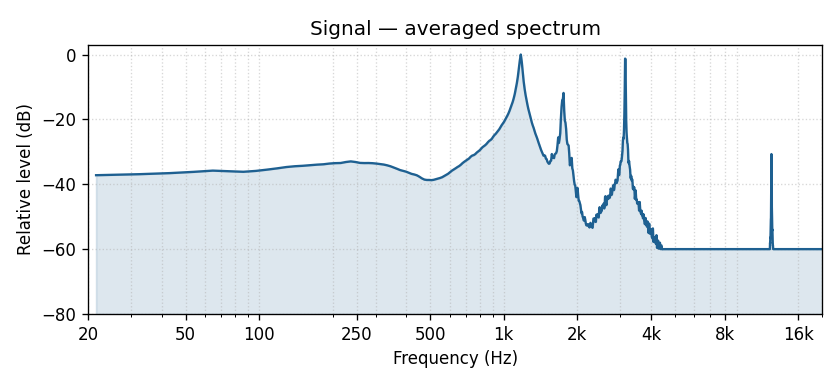
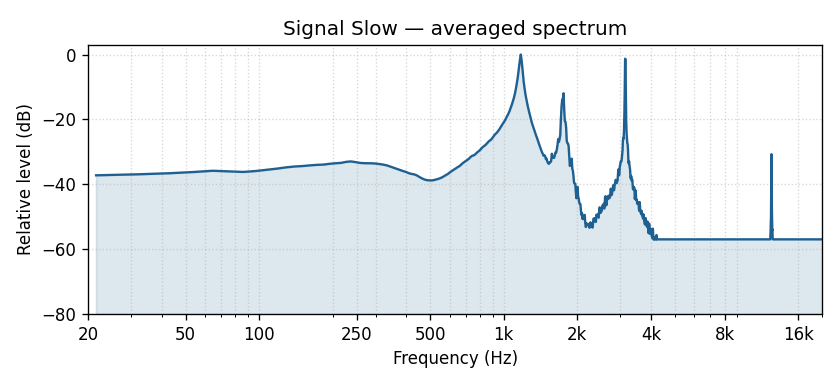
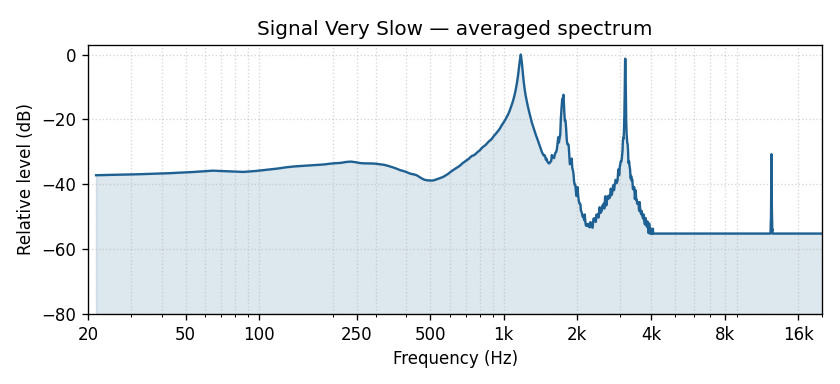
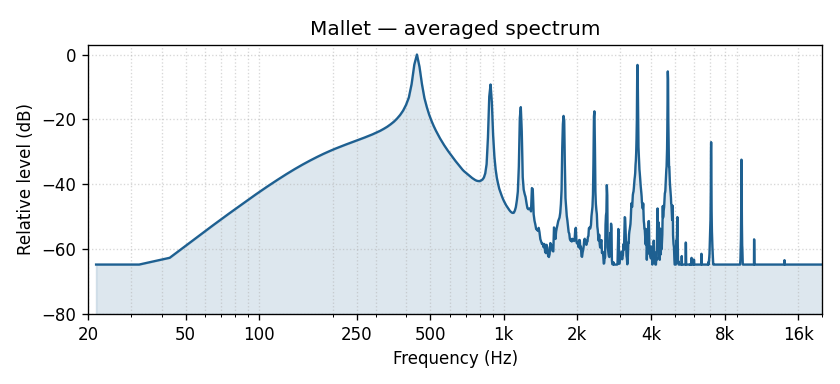
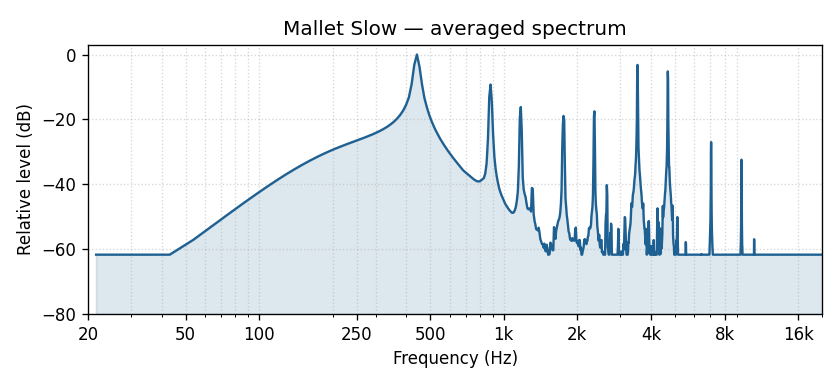
- A frequency spectrum plot showing where the beacon’s energy sits in the audible range. If you have a hearing loss in particular frequencies, beacons with most of their energy in the regions you hear well will be easiest to follow.
The plots are normalised so the loudest peak sits at 0 dB; the curves are useful for comparing the shape of each beacon’s frequency content, not its absolute loudness.
Note: the audio samples here are mono and do not use 3D spatialisation. In the app itself the sound is rendered binaurally, so it will appear to come from a specific direction when you wear stereo headphones.
Original
Beats per phrase: 2
Angle variants: 2
| Audio sample | Plays when bearing to beacon is |
|---|---|
Classic_OnAxis | 0° – 22.5° |
Classic_OffAxis | 22.5° – 180° |
Current
Beats per phrase: 6
Angle variants: 4
| Audio sample | Plays when bearing to beacon is |
|---|---|
Current_A+ | 0° – 15° |
Current_A | 15° – 55° |
Current_B | 55° – 125° |
Current_Behind | 125° – 180° |
Tactile
Beats per phrase: 6
Angle variants: 3
| Audio sample | Plays when bearing to beacon is |
|---|---|
Tactile_OnAxis | 0° – 15° |
Tactile_OffAxis | 15° – 125° |
Tactile_Behind | 125° – 180° |
Flare
Beats per phrase: 6
Angle variants: 4
| Audio sample | Plays when bearing to beacon is |
|---|---|
Flare_A+ | 0° – 15° |
Flare_A | 15° – 55° |
Flare_B | 55° – 125° |
Flare_Behind | 125° – 180° |
Shimmer
Beats per phrase: 6
Angle variants: 4
| Audio sample | Plays when bearing to beacon is |
|---|---|
Shimmer_A+ | 0° – 15° |
Shimmer_A | 15° – 55° |
Shimmer_B | 55° – 125° |
Shimmer_Behind | 125° – 180° |
Ping
Beats per phrase: 6
Angle variants: 4
| Audio sample | Plays when bearing to beacon is |
|---|---|
Ping_A+ | 0° – 15° |
Ping_A | 15° – 55° |
Ping_B | 55° – 125° |
Tactile_Behind | 125° – 180° |
Drop
Beats per phrase: 6
Angle variants: 3
| Audio sample | Plays when bearing to beacon is |
|---|---|
Drop_A+ | 0° – 15° |
Drop_A | 15° – 55° |
Drop_Behind | 55° – 180° |
Signal
Beats per phrase: 6
Angle variants: 3
| Audio sample | Plays when bearing to beacon is |
|---|---|
Signal_A+ | 0° – 15° |
Signal_A | 15° – 55° |
Drop_Behind | 55° – 180° |
Signal Slow
Beats per phrase: 12
Angle variants: 3
| Audio sample | Plays when bearing to beacon is |
|---|---|
Signal_Slow_A+ | 0° – 15° |
Signal_Slow_A | 15° – 55° |
Signal_Slow_Behind | 55° – 180° |
Signal Very Slow
Beats per phrase: 18
Angle variants: 3
| Audio sample | Plays when bearing to beacon is |
|---|---|
Signal_Very_Slow_A+ | 0° – 15° |
Signal_Very_Slow_A | 15° – 55° |
Signal_Very_Slow_Behind | 55° – 180° |
Mallet
Beats per phrase: 6
Angle variants: 3
| Audio sample | Plays when bearing to beacon is |
|---|---|
Mallet_A+ | 0° – 15° |
Mallet_A | 15° – 55° |
Mallet_Behind | 55° – 180° |
Mallet Slow
Beats per phrase: 12
Angle variants: 3
| Audio sample | Plays when bearing to beacon is |
|---|---|
Mallet_Slow_A+ | 0° – 15° |
Mallet_Slow_A | 15° – 55° |
Mallet_Slow_Behind | 55° – 180° |
Mallet Very Slow
Beats per phrase: 18
Angle variants: 3
| Audio sample | Plays when bearing to beacon is |
|---|---|
Mallet_Very_Slow_A+ | 0° – 15° |
Mallet_Very_Slow_A | 15° – 55° |
Mallet_Very_Slow_Behind | 55° – 180° |